 Kalhara JA
← All Blogs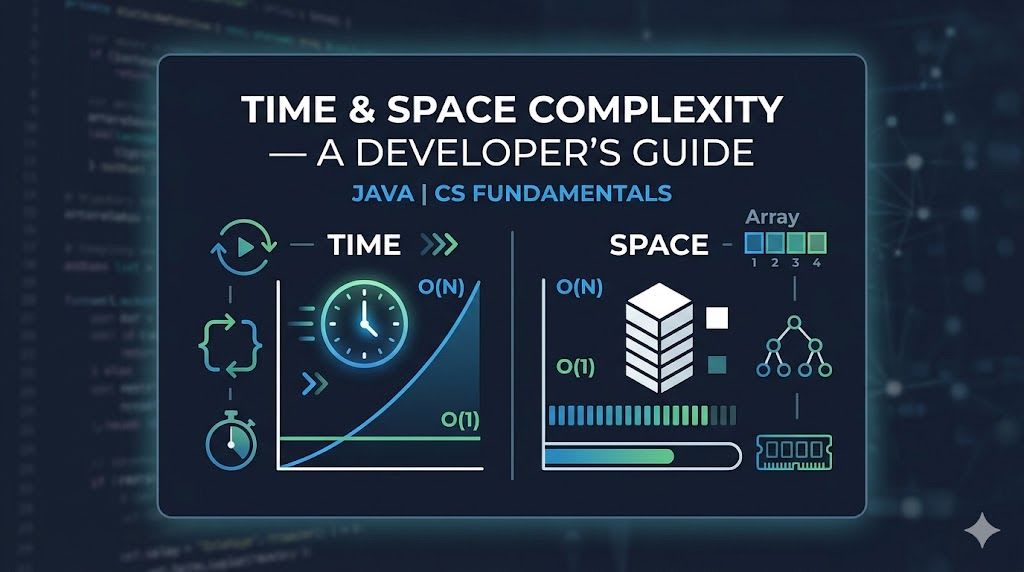
July 12, 2026 · 10 min read · Kalhara JA
Time & Space Complexity — A Developer's Guide
Time & Space Complexity — A Developer's Guide
Language: Java | Topic: CS Fundamentals
Table of Contents
- What is Complexity Analysis?
- Big-O Notation
- The Complexity Classes with Java Code
- Best, Worst, and Average Case
- Space Complexity
- Amortized Analysis
- Quick Reference Cheat Sheet
- Practical Tips
1. What is Complexity Analysis?
When you write code, two questions always matter:
- How much time does it take to run?
- How much memory does it use?
We don't measure time in seconds — that depends on the machine, the CPU, and a dozen other factors. Instead, we measure how time or memory grows relative to the input size, which we call n.
This is what complexity analysis captures, and Big-O is the notation we use to express it.
2. Big-O Notation
Big-O describes the upper bound of growth. It answers:
"In the worst case, how does this algorithm scale as input grows?"
The Simplification Rules
You always drop constants and lower-order terms, because at large n they become insignificant:
| Raw Expression | Simplified Big-O |
|---|---|
3n + 5 | O(n) |
2n² + 100n + 9 | O(n²) |
n/2 | O(n) |
log(n) + n | O(n) |
5 | O(1) |
Complexity Hierarchy (fastest to slowest)
O(1) < O(log n) < O(n) < O(n log n) < O(n²) < O(2ⁿ) < O(n!)
Key insight: The difference between O(n) and O(n²) might seem small for n = 10, but for n = 1,000,000 it is the difference between 1 million operations and 1 trillion.
3. The Complexity Classes with Java Code
O(1) — Constant Time
No matter how big the input, the operation always takes the same amount of time.
// Accessing an element by index — always one step
public int getFirst(int[] arr) {
    return arr[0]; // O(1)
}

// HashMap lookup — O(1) on average
public boolean containsKey(HashMap<String, Integer> map, String key) {
    return map.containsKey(key); // O(1) average
}
O(log n) — Logarithmic Time
Each step cuts the problem in half. The input can be enormous, but you only need a handful of steps.
Binary search on 1,000,000 elements takes only ~20 steps, because log₂(1,000,000) ≈ 20.
// Classic binary search
public int binarySearch(int[] arr, int target) {
    int lo = 0, hi = arr.length - 1;

    while (lo <= hi) {
        int mid = lo + (hi - lo) / 2; // avoids integer overflow

        if (arr[mid] == target) return mid;
        else if (arr[mid] < target) lo = mid + 1;
        else hi = mid - 1;
    }

    return -1; // not found
}
// Time: O(log n) | Space: O(1)
O(n) — Linear Time
You visit every element exactly once. One loop over the input = O(n).
// Find the maximum value in an array
public int findMax(int[] arr) {
    int max = arr[0];

    for (int x : arr) { // runs n times
        if (x > max) max = x;
    }

    return max;
}
// Time: O(n) | Space: O(1)
O(n log n) — Linearithmic Time
The sweet spot for sorting. You can't sort a general list faster than O(n log n).
// Merge Sort — classic O(n log n) algorithm
public void mergeSort(int[] arr, int left, int right) {
    if (left >= right) return;

    int mid = (left + right) / 2;
    mergeSort(arr, left, mid);       // log n levels of recursion
    mergeSort(arr, mid + 1, right);
    merge(arr, left, mid, right);    // O(n) work per level
}

private void merge(int[] arr, int left, int mid, int right) {
    int n1 = mid - left + 1;
    int n2 = right - mid;

    int[] L = new int[n1];
    int[] R = new int[n2];

    System.arraycopy(arr, left, L, 0, n1);
    System.arraycopy(arr, mid + 1, R, 0, n2);

    int i = 0, j = 0, k = left;
    while (i < n1 && j < n2) {
        if (L[i] <= R[j]) arr[k++] = L[i++];
        else arr[k++] = R[j++];
    }
    while (i < n1) arr[k++] = L[i++];
    while (j < n2) arr[k++] = R[j++];
}
// Time: O(n log n) | Space: O(n)
O(n²) — Quadratic Time
A loop inside a loop. Fine for small inputs, dangerous for large ones.
// Bubble Sort — O(n²)
public void bubbleSort(int[] arr) {
    int n = arr.length;

    for (int i = 0; i < n; i++) {           // runs n times
        for (int j = 0; j < n - 1; j++) {   // runs n times
            if (arr[j] > arr[j + 1]) {
                int temp = arr[j];
                arr[j] = arr[j + 1];
                arr[j + 1] = temp;
            }
        }
    }
}
// Time: O(n²) | Space: O(1)
// Check for duplicate pairs — another O(n²) example
public boolean hasDuplicatePair(int[] arr) {
    for (int i = 0; i < arr.length; i++) {
        for (int j = i + 1; j < arr.length; j++) { // nested loop
            if (arr[i] == arr[j]) return true;
        }
    }
    return false;
}
// Can be improved to O(n) using a HashSet!
O(2ⁿ) — Exponential Time
Each recursive call branches into two more. Blows up extremely fast.
// Naive recursive Fibonacci — O(2ⁿ)
public int fib(int n) {
    if (n <= 1) return n;
    return fib(n - 1) + fib(n - 2); // two branches each time
}
// fib(50) makes over 2^50 calls — basically unusable
// Fix: use memoization or DP to bring it to O(n)
4. Best, Worst, and Average Case
The same function can behave very differently depending on the input. Consider linear search:
public int linearSearch(int[] arr, int target) {
    for (int i = 0; i < arr.length; i++) {
        if (arr[i] == target) return i; // found it
    }
    return -1; // not found
}
| Case | When does it happen? | Complexity |
|---|---|---|
| Best case | Target is the first element | O(1) |
| Average case | Target is somewhere in the middle | O(n/2) → O(n) |
| Worst case | Target is last, or not in array | O(n) |
Rule of thumb: When reasoning about complexity, default to the worst case — it gives you the most honest picture of how an algorithm will behave under pressure. Always note which case you are describing.
Another Example — Quick Sort
// Quick Sort
// Best/Average case:  O(n log n) — pivot splits array evenly
// Worst case:         O(n²)      — pivot is always the smallest/largest (already sorted input)
This is why Merge Sort is often preferred when guaranteed performance matters — it is always O(n log n).
5. Space Complexity
Same concept as time complexity, but measuring memory usage instead of operations.
O(1) Space — Constant
Only a fixed number of variables, regardless of input size.
// In-place sum — O(1) space
public int sumArray(int[] arr) {
    int total = 0;          // just one variable
    for (int x : arr) {
        total += x;
    }
    return total;
}
O(n) Space — Linear
Extra memory proportional to the input.
// Creating a new array — O(n) space
public int[] doubleAll(int[] arr) {
    int[] result = new int[arr.length]; // new array of size n
    for (int i = 0; i < arr.length; i++) {
        result[i] = arr[i] * 2;
    }
    return result;
}
O(n) Space — Recursion and the Call Stack
Every recursive call adds a frame to the call stack. Recursive depth = space used.
// Factorial — O(n) space due to n stack frames
public int factorial(int n) {
    if (n == 0) return 1;
    return n * factorial(n - 1); // each call waits on the stack
}
factorial(5)
  └─ factorial(4)
       └─ factorial(3)
            └─ factorial(2)
                 └─ factorial(1)
                      └─ factorial(0) → returns 1
Each level is a frame sitting in memory simultaneously. So factorial(n) uses O(n) stack space.
Tip: Iterative solutions are usually O(1) space. Recursive solutions are usually O(depth) space. When optimizing, consider converting recursion to iteration.
6. Amortized Analysis
Sometimes a single operation is expensive, but it happens so rarely that the average cost per operation over time is still cheap. This is called amortized analysis.
The Classic Example: Java's ArrayList
ArrayList in Java is backed by a dynamic array. When you call .add():
- Usually: There is empty space in the array → just insert. O(1).
- Sometimes: The array is full → allocate a new array (double the size), copy everything over. O(n).
So is add() O(1) or O(n)?
ArrayList<Integer> list = new ArrayList<>();

list.add(1);  // O(1) — space available
list.add(2);  // O(1)
list.add(3);  // O(n) — array full, resize! copies 2 elements
list.add(4);  // O(1)
list.add(5);  // O(n) — resize again, copies 4 elements
// ... and so on
The Math
Each time the array doubles, the number of copies is:
1 + 2 + 4 + 8 + ... + n = 2n total copies across all resizes
So for n total add operations: 2n total copies → 2n/n = O(1) average per operation.
Amortized O(1) does not mean every single operation is O(1). It means the total cost spread over many operations averages out to O(1) per operation.
This is why Java's ArrayList.add() is documented as "amortized constant time" — and why it is safe to use in a loop without worrying about performance.
7. Quick Reference Cheat Sheet
| Notation | Name | Java Example | n=1000 ops (approx) |
|---|---|---|---|
| O(1) | Constant | arr[i], map.get(key) | 1 |
| O(log n) | Logarithmic | Binary search, BST lookup | ~10 |
| O(n) | Linear | Single for-loop, linear search | 1,000 |
| O(n log n) | Linearithmic | Arrays.sort(), merge sort | ~10,000 |
| O(n²) | Quadratic | Nested loops, bubble sort | 1,000,000 |
| O(2ⁿ) | Exponential | Naive recursion, all subsets | > universe |
| O(n!) | Factorial | Brute-force permutations | way > universe |
Common Java Collections — Time Complexity
| Operation | ArrayList | LinkedList | HashMap | TreeMap |
|---|---|---|---|---|
| Access by index | O(1) | O(n) | — | — |
| Search | O(n) | O(n) | O(1) avg | O(log n) |
| Insert (end) | O(1) amort. | O(1) | O(1) avg | O(log n) |
| Insert (middle) | O(n) | O(1) | — | — |
| Delete | O(n) | O(1) | O(1) avg | O(log n) |
8. Practical Tips
1. Analyze before you code. Before writing a solution, think about its complexity first. This habit helps you spot inefficiencies early and make better design decisions upfront.
2. Always consider both time and space. A solution that runs in O(n) time but uses O(n²) space might still be unusable. Get into the habit of analyzing both dimensions together.
3. Know when to trade space for time.
One of the most powerful patterns in programming: use a HashSet or HashMap to reduce O(n²) time down to O(n) at the cost of O(n) extra space.
// O(n²) — nested loop approach
public boolean hasDuplicate(int[] arr) {
    for (int i = 0; i < arr.length; i++)
        for (int j = i + 1; j < arr.length; j++)
            if (arr[i] == arr[j]) return true;
    return false;
}

// O(n) time, O(n) space — smarter approach using a HashSet
public boolean hasDuplicateFast(int[] arr) {
    Set<Integer> seen = new HashSet<>();
    for (int x : arr) {
        if (!seen.add(x)) return true; // add() returns false if already present
    }
    return false;
}
4. Question your nested loops. Whenever you write a loop inside a loop, pause and ask yourself: is there a way to do this in a single pass? Often there is, and the key is usually a hash map or a two-pointer technique.
5. Recursive solutions carry hidden space cost. Every recursive call uses stack space. A function that looks O(1) space at first glance may actually be O(n) or O(log n) once you account for the call stack depth.